Client Portal SaaS Platform

Mental model of navigation

DONE

Greenspec needed to introduce a B2B client portal inside an existing website without disrupting how users already navigated the platform. This was a challenge because the existing website had a complex navigation structure and a lot of pages. We needed to create a new mental model of navigation for the B2B client portal.

Users were non-technical (people over 50) and had already invested time learning the existing navigation, changing it would introduce unnecessary friction.

Problem statement

  • User familiarity (existing website navigation already learned)
  • Product needs (introducing operational modules: Quotes, Orders, Invoices)
  • Technical constraints (small dev team, need for scalable solutions)
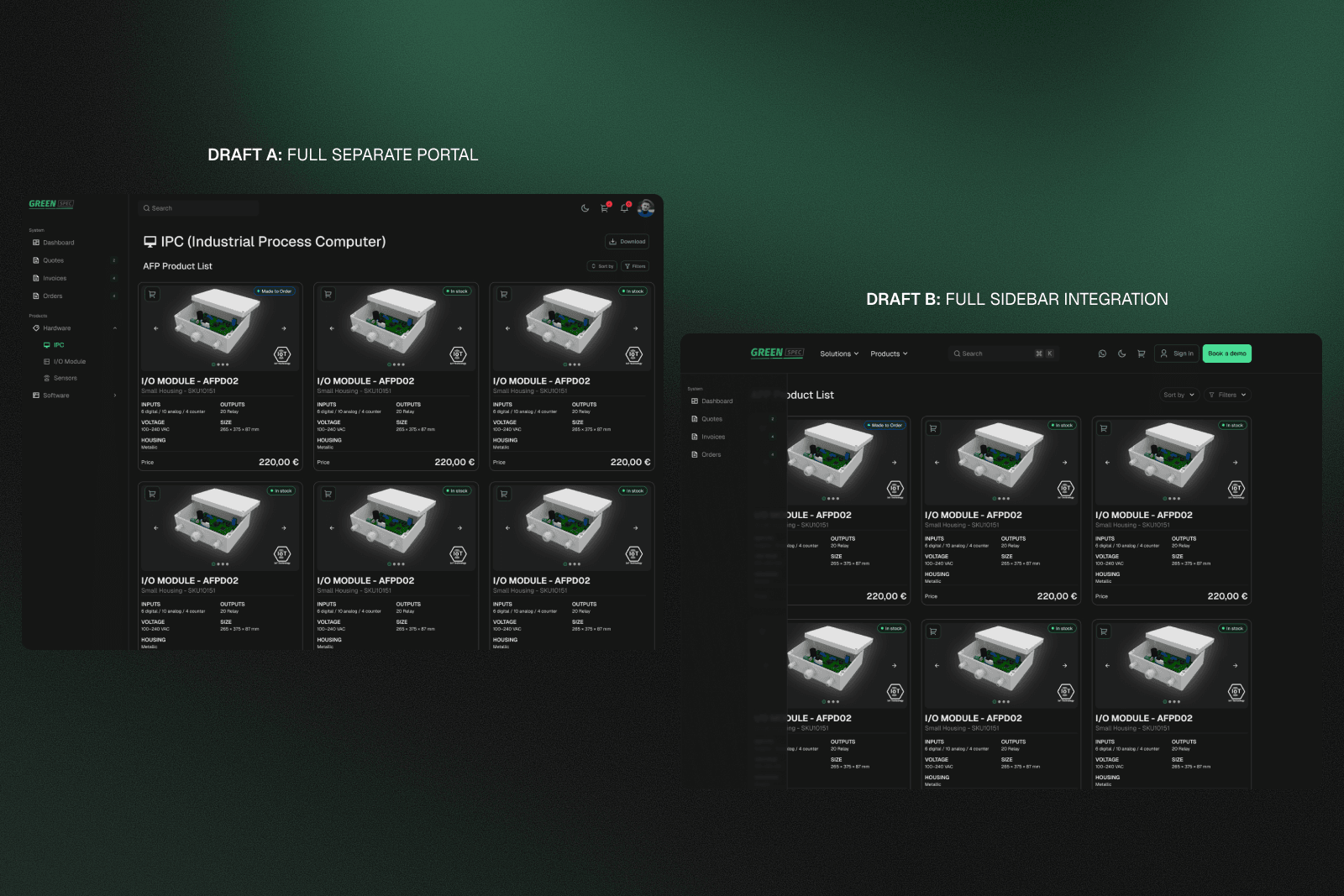
We explored three quick prototyping approaches: Using a existed UI, I made a fully separate portal, a full sidebar integration, and a conditional sidebar (appear only when the user is logged in). Each introduced trade-offs between usability, complexity, and development cost.

Technical considerations

Limited development resources made a full portal rebuild impractical it would increase complexity, slow down delivery, and add long-term maintenance overhead. The solution needed to be incremental, non-disruptive, and compatible with the existing architecture.

Solution

Introduce portal functionality as a lightweight, persistent layer without disrupting the existing navigation system.
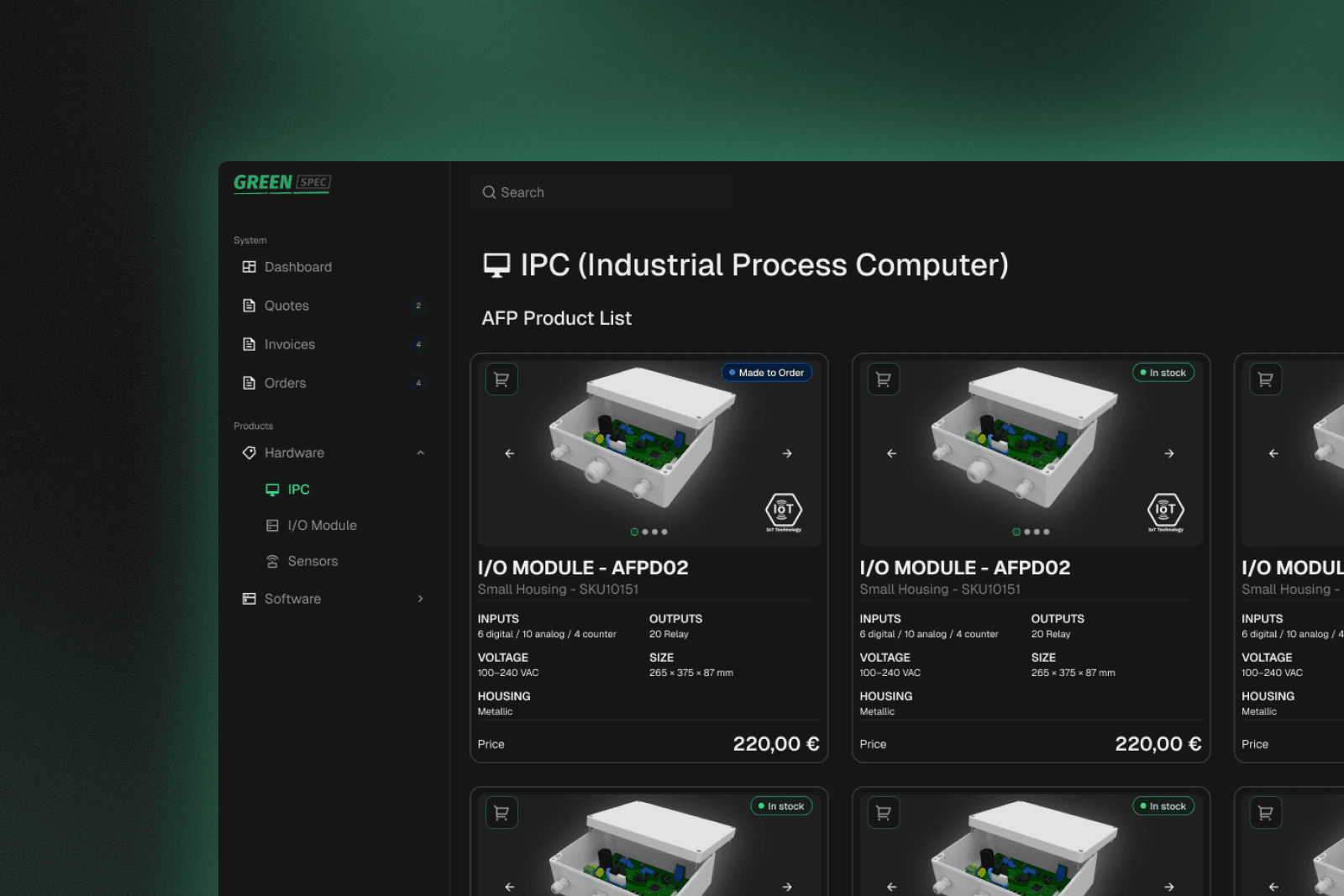
The final solution introduces a hybrid navigation model: the top navbar remains unchanged to preserve existing user familiarity, while a minimal, icon-only sidebar provides access to portal features. The sidebar stays collapsed by default and expands on hover, allowing users to navigate operational modules like Dashboard, Quotes, Orders, and Invoices without disrupting their established workflow.

Responsive adaptation

On mobile, the navigation adapts to a bottom bar pattern with 4–5 primary actions, giving direct access to core portal modules like Dashboard, Quotes, Orders, Invoices, and Account. Website navigation is moved into the hamburger menu, separating concerns between browsing and operational tasks.

The final solution introduces a hybrid navigation model: the top navbar remains unchanged to preserve existing user familiarity, while a minimal, icon-only sidebar provides access to portal features. The sidebar stays collapsed by default and expands on hover, allowing users to navigate operational modules like Dashboard, Quotes, Orders, and Invoices without disrupting their established workflow.
0 relearning requiredNavegation disruption
3 weeks fasterImplementation
Reduced by 60%Cognitive load
This new way of navigating was easy to get used to; I don't feel like I'm in two different places, and I can see everything in one place.
Greenhouse distributor, usability test